Orchid care
Contents
Welcome to our orchid care guides on how to grow, care for and take care of orchids. We offer detailed and easy to understand guides that teach you how to grow popular orchid species such as phalaenopsis, cymbidium, and dendrobium.
Orchids
Orchids are extremely popular as house plants, garden plants and corsage plants and can today be found all over the world. Some people believe that orchid care is very tricky to keep, but the truth is that even novice plant keepers can reach great success as long as they chose the right orchids and are prepared to do some reading.
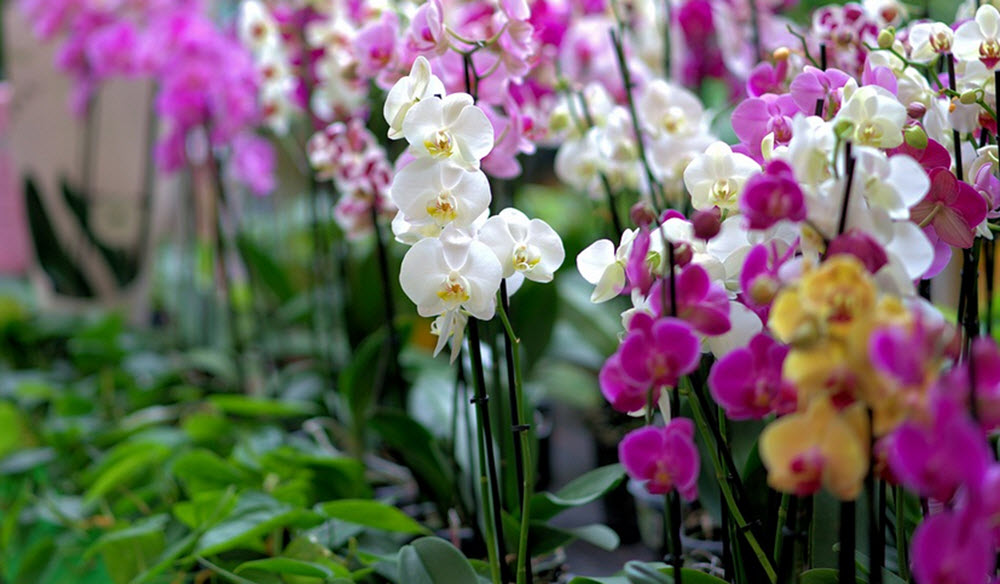
The orchid family is the largest family of flowering plants, and there are over 20,000 accepted species of orchid. The exact number varies depending on which classification system you use. The Royal Botanical Gardens of Kew in the United Kingdom lists 880 different genera and almost 22,000 species, and several hundred species are added each year. Since orchids are so tremendously popular in the floral trade, horticulturists have also created over 100,000 orchid hybrids and cultivars.
By providing these plants with proper care, you can make them last for years and years to come and offer you new delicate blossoms each year. Some orchids can even be coaxed into blossoming more than once a year, while others will retain their flowers for several months if provided with the right kind of care.
Six very important aspects of orchid care are watering, nutrients, light, temperature, medium, and repotting. On this site you will therefore find detailed information about recommended water habits, proper fertilization, how to find the ideal light combination, how to mimic the natural orchid habitat climate, which type of potting medium to pick, and when your orchid should be repotted.
How to grow orchids
The best way of providing your orchid with ideal orchid care is to read up on its native environment. In the case of hybrids, you might have to study the natural environment of all the included species and then experiment to find a proper mix. Ask your florist for more detailed information. By learning more about the native environment of your orchids, you will get important clues about how to make them thrive in your home. If you want to increase your chances of success, pick orchid species that prefer conditions similar to what you already have in your home.
A majority of the orchid species that you can encounter in the flower shop hail from subtropical or tropical parts of the world, but there are many notable exceptions. If you want an orchid used to temperate climate conditions, you can, for instance, pick the Pyramid orchid (Anacamptis pyramidalis) or the Bee orchid (Ophrys apifera). There are even orchids to be found on Macquarie Island near Antarctica, and you can find several species growing north of the Arctic Circle.
Orchid growing tips
Some orchids are relatively easy to care for, but they do have some specific requirements. Here are a few tips for caring for common beginner orchids such as Phalaenopsis orchids:
- Water your orchids regularly, but don’t overwater them. Orchids need to be kept moist, but they don’t like to be sitting in water. A good rule of thumb is to water your orchids once a week and to let the soil dry out slightly between waterings.
- Provide your orchids with the right amount of light. Most orchids prefer bright, indirect light, but the exact amount of light your orchid needs will depend on the specific type of orchid you have. Avoid placing your orchid in direct sunlight, as this can burn the leaves.
- Use the right type of potting mix. Orchids need a well-draining potting mix that contains plenty of air pockets. You can use a commercial orchid potting mix, or you can make your own by mixing together equal parts of peat moss, bark chips, and perlite or coarse sand.
- Fertilize your orchids regularly. Orchids need nutrients to grow and thrive, so be sure to fertilize them using a balanced fertilizer according to the package instructions. Not feeding your orchids is one of the most common mistakes made by beginner orchid keepers.
- Repot your orchid as needed. Over time, orchids can become pot-bound, which can limit their growth. To repot your orchid, carefully remove it from its pot and gently loosen the roots before replanting it in a slightly larger pot. This should be done every year or two, depending on the size of your orchid.
By following these tips, you can help your orchids thrive and enjoy their beautiful flowers for many years to come.
When should I water my orchid?
Since orchids occur in such a vast array of different habitats, their exact requirements vary, but generally speaking, it is best to water orchids during the early morning. By watering the orchid early in the day, you give the foliage a chance to dry before the temperature drops in the event. Misting and damping should also be carried out early in the morning or during midday. Orchid leaves coated in water droplets when the sun sets will be more susceptible to rotting and mould infestations. Orchids exposed to direct sunlight should not be misted during the hours while the sun shines the brightest. Experienced keepers can adhere to other regiments, but for the novice orchid keeper, it is safest to avoid late watering, damping and spraying.
Orchid care and air humidity
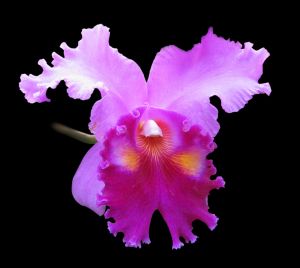
Cattleya orchid flower
If your orchid hails from a part of the world where the air is very humid, such as a tropical lowland forest, your home will most likely be a bit too dry for it if you live in a temperate or arctic part of the world. To make your orchid thrive, you can add some more moisture to the air around it. This might sound complicated, but it is actually very easy. It should also be noted that the human body likes a bit of moisture, and our dry indoor environment often gives us dry eyes, dry lips, persistent coughing and so on.
One way of adding moisture to the air around the orchid is to use a pebble dish. Simply fill a shallow dish with pebbles and add water. Place the orchid pot on top of the pebbles, and make sure that the waterline is under the top of the pebbles. Overfilling the pebble dish can cause root rot and increase the risk of medium decay. The pebbles need to be cleaned four to six times a year with a mild bleach solution to prevent algae growth and mould.
Fertilizing Orchids
Orchids are generally not heavy feeders and do not require frequent fertilization. In fact, overfertilization can harm orchids and cause them to produce too much foliage at the expense of flowers.
It is generally recommended to fertilize orchids every 2-4 weeks during their active growing season, using a balanced fertilizer. You can use a 20-20-20 liquid fertilizer or a slow-release fertilizer formulated specifically for orchids.
When fertilizing, dilute the fertilizer to about half the strength recommended on the label and apply it to the potting mix, not the foliage. Avoid getting fertilizer on the leaves, as this can cause burns.
It is also important to remember that orchids need to be grown in a well-draining potting mix and should not be allowed to sit in standing water, as this can lead to root rot.
In addition to fertilization, orchids also benefit from regular watering and proper light levels. Be sure to research the specific needs of the particular orchid species you are growing to ensure it is getting the proper care.
Orchid potting mix
Orchid potting mix is typically made up of materials such as fir bark, sphagnum moss, perlite, and charcoal. These materials help to provide good drainage and air circulation, which are important for the health of the plant.
When selecting an orchid potting mix, it is important to choose a well-draining mix and that will not hold onto excess moisture, as this can lead to root rot. It is also important to choose a mix that is appropriate for the specific type of orchid you are growing, as different orchid species have different cultural requirements.
Epiphytical and litophytical orchids
What is an epiphyte?
An epiphyte is a type of plant that grows on another plant, such as a tree or shrub, but does not obtain any nourishment from its host. Epiphytes are commonly found in tropical rainforests, where they grow on the branches or trunks of trees. They derive all of their nutrients and moisture from the air and surrounding environment rather than from the host plant.
Examples of epiphytes include certain species of orchids, bromeliads, and ferns. These plants have adapted to growing on other plants in order to access sunlight and other resources that may be scarce on the forest floor.
Epiphytes play important roles in the ecosystems in which they occur. They provide a habitat for a variety of animals, such as birds and insects, and can contribute to the diversity of plant life in a given area. Epiphytes are also used in horticulture and are often grown in pots or hanging baskets in gardens and greenhouses.
What are litophytes?
Lithophytes are plants that grow on rocks or other rocky surfaces. They are adapted to growing in nutrient-poor environments and typically have shallow roots that anchor them to the rock surface.
Lithophytes are found in a variety of habitats, including cliffs, cliffsides, and rocky outcrops. They are commonly found in arid or semi-arid regions, where they are adapted to dry conditions and limited soil moisture.
Like epiphytes, lithophytes play important roles in the ecosystems in which they occur. They provide a habitat for a variety of animals, such as birds and insects, and can contribute to the diversity of plant life in a given area.
Examples of lithophytes include certain species of orchids, cacti, succulents, and ferns. These plants have adapted to growing on rocky surfaces through a variety of mechanisms, such as specialized roots and leaves that are able to absorb moisture from the air or rocky surface.